Hair cards groomed onto a character head: the finished result of the HairStorm pipeline.

Windows desktop · Hair card creation, end to end

One application for the entire hair card pipeline. Strands in, game-ready assets out.

The pipeline

Five steps, one application.

Create strands

Draw and generate procedural strands on a flat 2D canvas. Layers keep bangs, crown and sides in separate streams, and a stack of eleven modifiers shapes each one.

RemovesNo round trip to a separate grooming package to get a usable strand source.

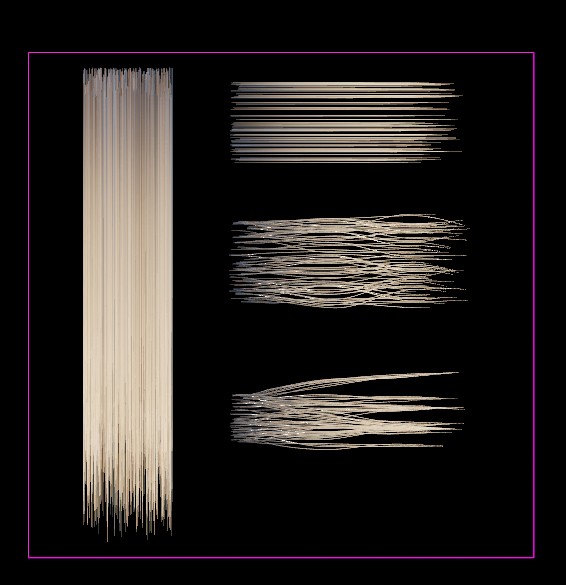
HairStorm 2D canvas with several procedural hair-strand arrangements laid out inside the working area.

Bake textures

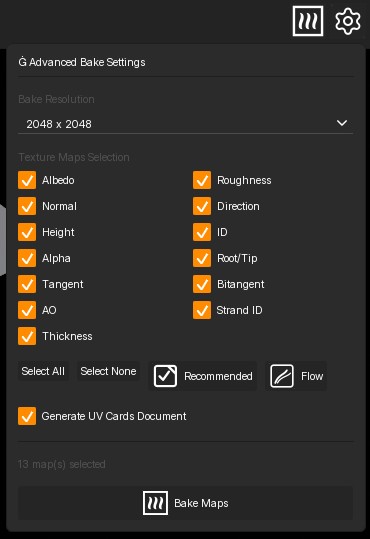
Render the visible layers from directly above into thirteen texture channels, including albedo, normal, direction, height, alpha, root-to-tip and ambient occlusion.

RemovesNo manual render setup, and no hand-authoring hair textures in an image editor.

Advanced Bake Settings panel with map selection, resolution, UV card generation and the Bake Maps button.
Personal or higher

Auto-generate UV cards

The same bake builds card topology that matches your hair bundles, with dual UV channels: UV0 for card geometry and UV1 for exact atlas sampling.

RemovesNo modelling cards by hand and no fighting a UV layout to line it up with the atlas.

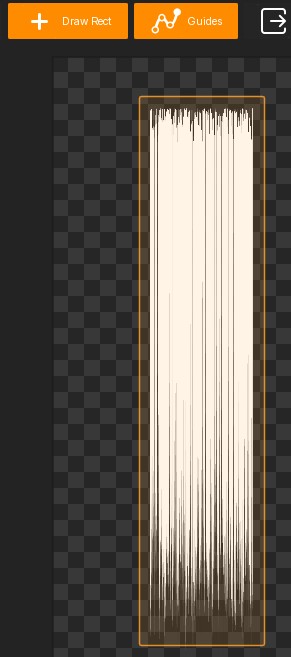
UV workspace in HairStorm with a rectangular UV card slot being drawn.
Professional or StudioOptional step

Groom cards on the character

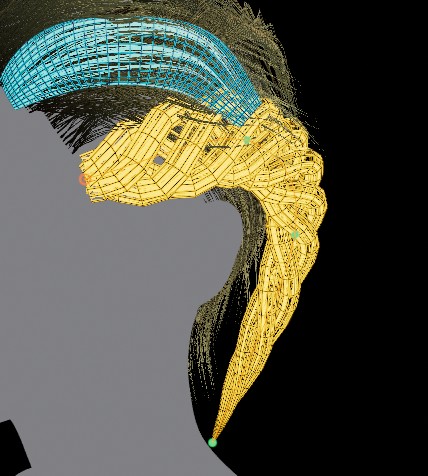
Import a head model, then draw and shape cards directly on the scalp surface with six tools: Select, Draw Strips, Redraw Strip, Twist, Width Size and Width Bend.

RemovesNo exporting an unfinished asset just to position it somewhere else.

Groom cards on an imported character head, with selected and unselected card geometry.
Mesh export needs a paid plan

Export game-ready assets

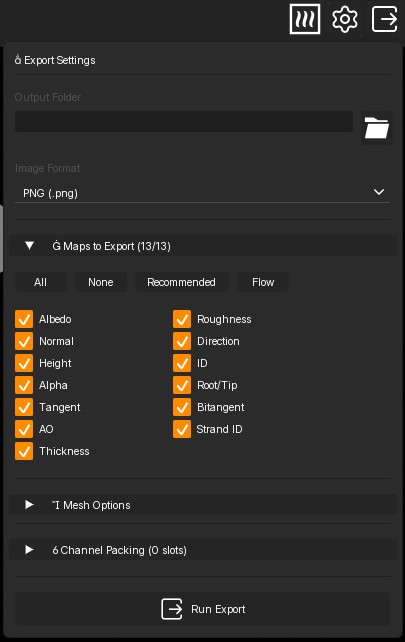
Write texture maps and mesh output together, at the scale units your target expects: centimetres for Unreal Engine 5, metres for Blender and glTF pipelines.

RemovesNo conversion step and no scale guesswork between the tool and the engine.

Export Settings panel with image format, map selection, mesh output, channel packing and Run Export.
HairStorm 2D canvas with several procedural hair-strand arrangements laid out inside the working area.
Advanced Bake Settings panel with map selection, resolution, UV card generation and the Bake Maps button.
UV workspace in HairStorm with a rectangular UV card slot being drawn.
Groom cards on an imported character head, with selected and unselected card geometry.
Export Settings panel with image format, map selection, mesh output, channel packing and Run Export.
Baked output

The maps your shader actually needs.

A bake writes up to thirteen channels. These seven are the ones that end up wired into a hair material on almost every project.

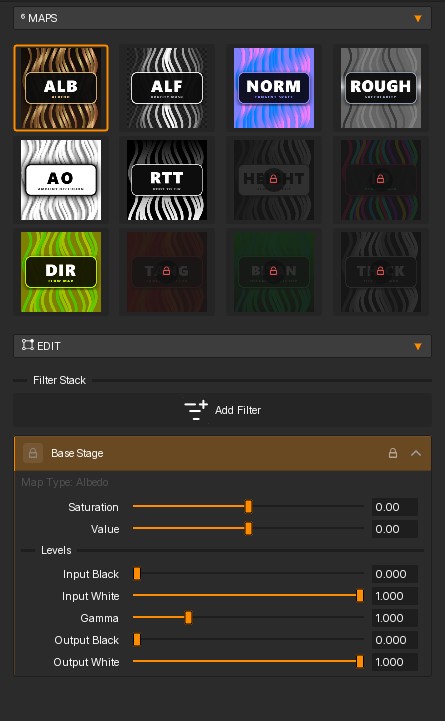
Albedo
Base colour, already carrying the root-to-tip gradient.
Normal
Surface direction, so a flat card reads as rounded strands.
Direction
The tangent flow that gives you anisotropic highlights.
Height
Depth from the canvas base, for parallax and layering.
Alpha
The opacity mask that cuts the card silhouette.
Root-to-tip
A vertical ramp for root darkening and tip shifts.
Ambient occlusion
Contact shading between overlapping cards.
Albedo
Normal
Direction
Height
Alpha
Root-to-tip
Ambient occlusion
+6channels

Atlas preview4096 × 4096 · paid plans

HairStorm texture panel with baked map tiles, the albedo map selected and its filter stack.
Texture panel · albedo selected
Why one application

The handoffs are where the time goes.

Strands, textures, cards and grooming share one project file. Modifiers and filters stay non-destructive, so a late change is an edit, not a rebuild.

11 Modifier kernels Noise, Curl, Clump, Taper, Frizz, Gravity, Bend, Braid, Trim, Smooth and Wave. Reorder or disable any of them at any point.
11 Texture filters Levels, Curves, Hue/Saturation, Detail Boost and Root/Tip Tint layer over a baked map without touching the source on disk.
13 Baked channels Up to 2K on the trial, up to 4K on Personal, Professional and Studio.
1 Export Texture maps plus a UV card mesh or groom mesh, dual UV channels, written for UE5, Maya or Blender.
Engine handoff

Built for the way engines read hair cards.

Meshes are written with two UV channels and the scale units set at export, so the asset arrives at the size the target expects.

Unreal 5
Surface domain, Masked blend, Hair shading model, two-sided. Direction drives the material tangent for anisotropic highlights.
Blender · Maya
Principled BSDF or Standard Surface, with a UV Map node on UV0 for base colour and alpha.
Formats
FBX and OBJ meshes. PNG, TGA or JPEG textures, with optional channel packing into RGBA slots.

Read the integration steps

UV card guide-mapping controls in HairStorm, which tie generated card geometry to the baked atlas.
UV0 card geometry · UV1 atlas sampling
Plans

Pick the workspaces you need.

Yearly licenses, one machine activation each. The trial covers strand creation, modifiers and baking.

Free Trial

Free

Evaluate HairStorm for 7 days before buying.

  • 7 day evaluation
  • 1 machine activation
  • Export up to 2K (2048px)
  • UV Cards and Groom workspaces locked
  • Community support
Start Trial

Personal

$49.99 / year

For artists creating UV card layouts and texture exports.

  • Yearly license
  • 1 machine activation
  • UV Cards workspace and UV card mesh export
  • Export up to 4K (4096px)
  • Groom workspace and groom mesh export locked
  • License recovery portal
Buy Personal
Most complete

Professional

$79.99 / year

For professional artists, freelancers, and independent creators.

  • Yearly license
  • 1 machine activation
  • UV Cards and Groom workspaces unlocked
  • UV card mesh and groom mesh export
  • Export up to 4K (4096px)
  • Commercial use
  • License recovery portal
Buy Professional

Studio

$149.99 / year

For studio and commercial production work on one workstation.

  • Yearly license
  • 1 machine activation
  • UV Cards and Groom workspaces unlocked
  • Export up to 4K (4096px)
  • Studio/commercial use
  • Priority support queue
  • License recovery portal
Buy Studio
Questions

Before you download.

What do I need to run it?

A 64-bit Windows 10 or 11 workstation. A dedicated GPU is recommended. Full requirements are on the download page.

Does it work offline?

Yes. Once your license key is activated, HairStorm runs offline on your workstation for day-to-day work.

Which parts need a paid plan?

Baking texture maps is available on every plan including the trial. UV card generation and editing need Personal or higher, and the Groom workspace needs Professional or Studio.

What resolution can I bake at?

Up to 2K on the trial, and up to 4K on Personal, Professional and Studio.

What do I actually get out of it?

Baked texture maps plus a UV card mesh or groom mesh, written to a folder you choose in formats your engine reads. The export guide covers the settings per target.

Get started

Take one hairstyle through the whole pipeline.

Start with the trial, or pick the plan that unlocks the workspaces you need.